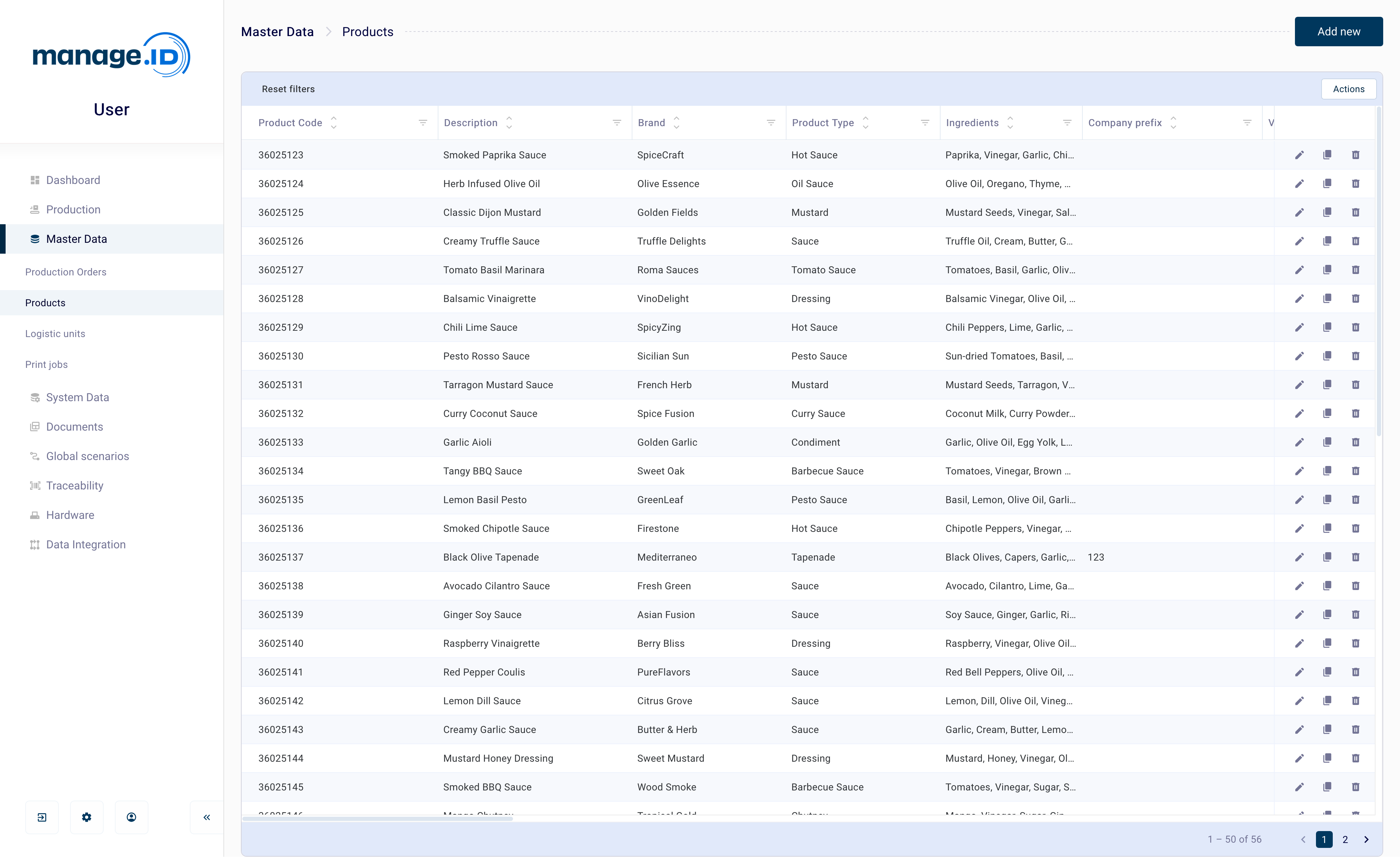
Product
What is this data
A product is identified by the combination of its product code and product variant.
Where it is used
During production, the Select product coding-scenario step matches a scanned or imported input value against this master data to identify the correct product and load its data — including any linked Various Data — into the scenario, so it can be used to fill in the label. See Production Data for the related coding scenario steps, and Preparing Production on a Production Line for how a product is assigned to a line.
Fields
| Field | Label | Mandatory | Notes |
|---|---|---|---|
productCode | Product code | Yes | Max 100 characters. Part of the match key. |
productVariant | Variant | No | Max 10 characters. Blank/empty is valid and is the default if omitted. Part of the match key. |
companyPrefix | Company prefix | No | Max 10 characters. |
description | Description | No | Max 255 characters. |
If the Statuses feature is enabled, a Status field is also available, along with two read-only fields (Status changed at, Status change type) that are set automatically.
Matching & updates
A product is matched by the combination of product code and product variant (this pair must be unique — it’s enforced by the database). If a match is found, the product is updated: only the columns actually present in the incoming row are overwritten, all other fields keep their current value. If no match is found, a new product is created.
Auto-created related records
None — a Product import never creates other records. Products themselves are frequently auto-created as a side effect of importing a Production Order, Logistic Unit, or Print Job that references a product code that doesn’t exist yet (see those pages).
Custom / additional columns
Beyond the fixed fields above, a product can carry custom columns to describe whatever else your company needs to track about it — for example a brand, category, or ingredient list. Up to 150 custom columns are supported per table, each storing up to 3200 characters. If the Various Data feature is enabled, columns in the Products list are tagged with a badge showing which table they actually come from — Product or Various — since the grid can combine a product’s own columns with linked Various Data columns. See Various Data for details on that feature: