Production
This tab provides steps that control or check the production state of the production line.
Start Production
This action step starts the production process on the production line.
This step has no parameters.
Stop Production
This action step stops the production process on the production line.
This step has no parameters.
Check If Production Running
This action step verifies that the production line is currently running. If the production line is not running, the workflow execution is canceled and no further actions are performed.
This step has no parameters.
Examples
Example 1: Verifying Production State before Sending a Print Job
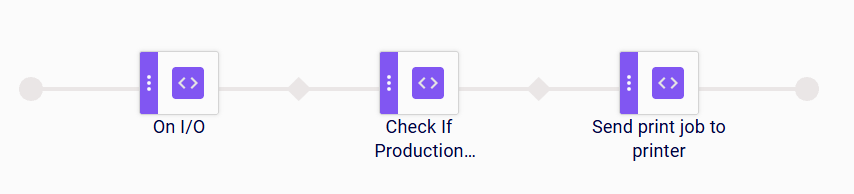
When an I/O device emits a signal, the On I/O step receives and validates the signal. The Check If Production Running step then verifies whether there is an active production associated with the line linked to this coding scenario.
If a production is running, the Send Print Job to Printer step sends the corresponding label to the printer assigned to the line.
If no production is running, the scenario terminates at this point, and the Send Print Job to Printer step is skipped.
Example 2: Verifying Production State before Updating Logistic Unit Status
When a scan event occurs, the On scan step receives the scan input. The Select logistic unit step identifies and selects the corresponding logistic unit. The Check If Production Running step then verifies whether there is an active production associated with the line linked to this coding scenario.
If a production is running, the Set status to logistic units step updates the status of the selected logistic unit.
If no production is running, the scenario terminates at this point, and the Set status to logistic units step is skipped.

Limitations
- Only checks the production associated with the line on which the coding scenario is being performed.