Request data change
Create a data change request. The request needs to be approved from a second person
Before you start
- You are assigned to a user group that at least has the permission Editor in the Approval System Section.
- The approval system is activated.
About this Task
To change data in manage.ID, a request must be created. This request must be checked and approved (or rejected) by a second person.
Procedure
Click on data management and then on Products
Change the data record
Add a comment which helps the approving person to under why the data should be changed
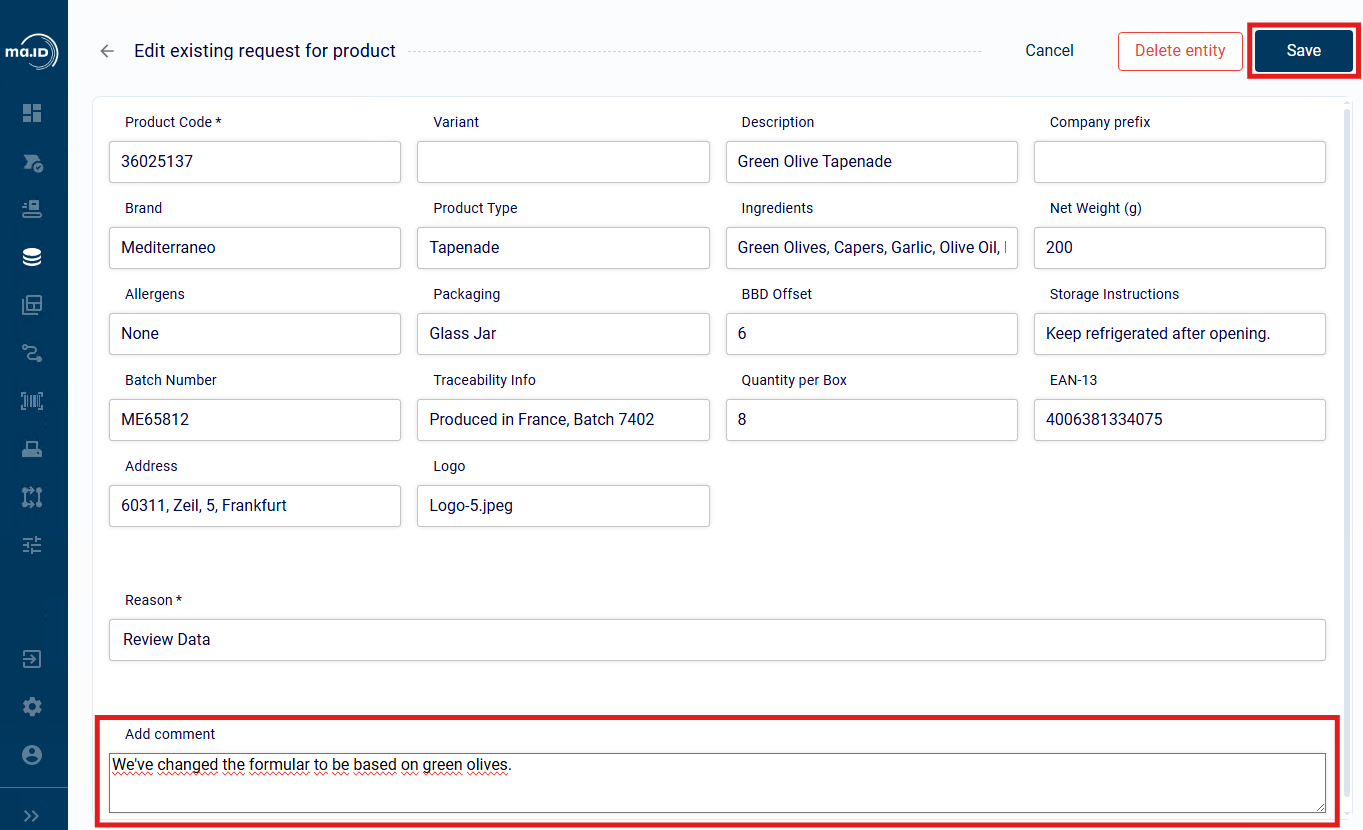
Click on Save
Click on Action Center in the side bar.
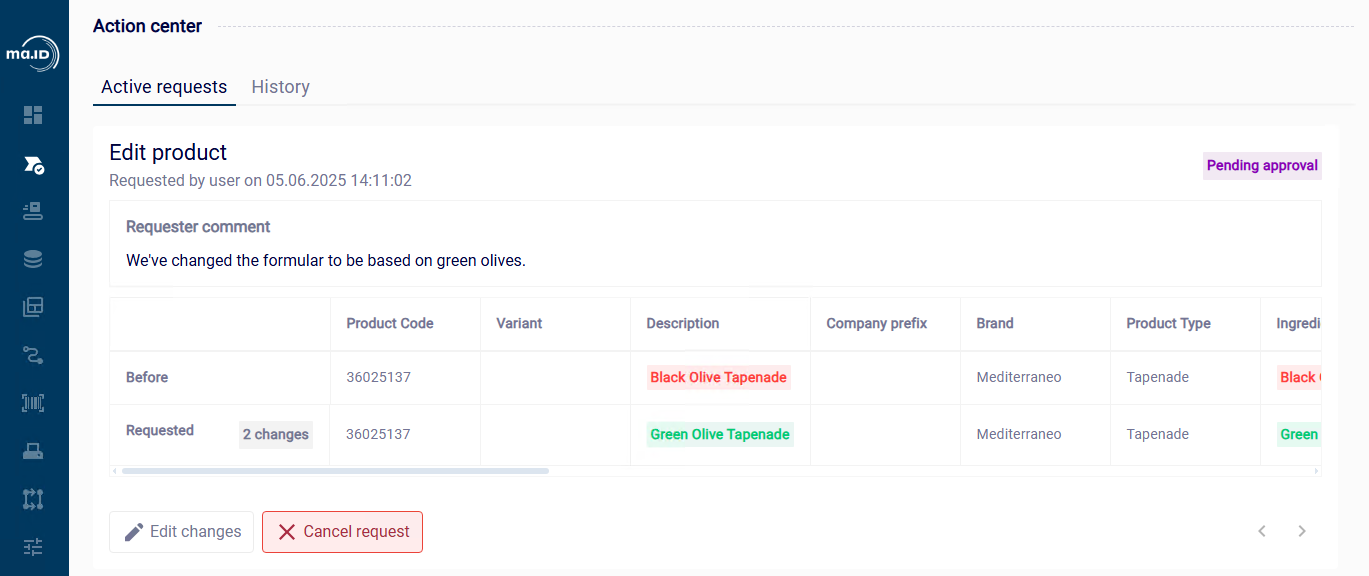
See the status of your pending request.
Results
You have created a request to change data. You can see you request in the Action Center.
📘 Note: You can also cancel your request in the Action Center.
What next
- Approve a pending data change request